

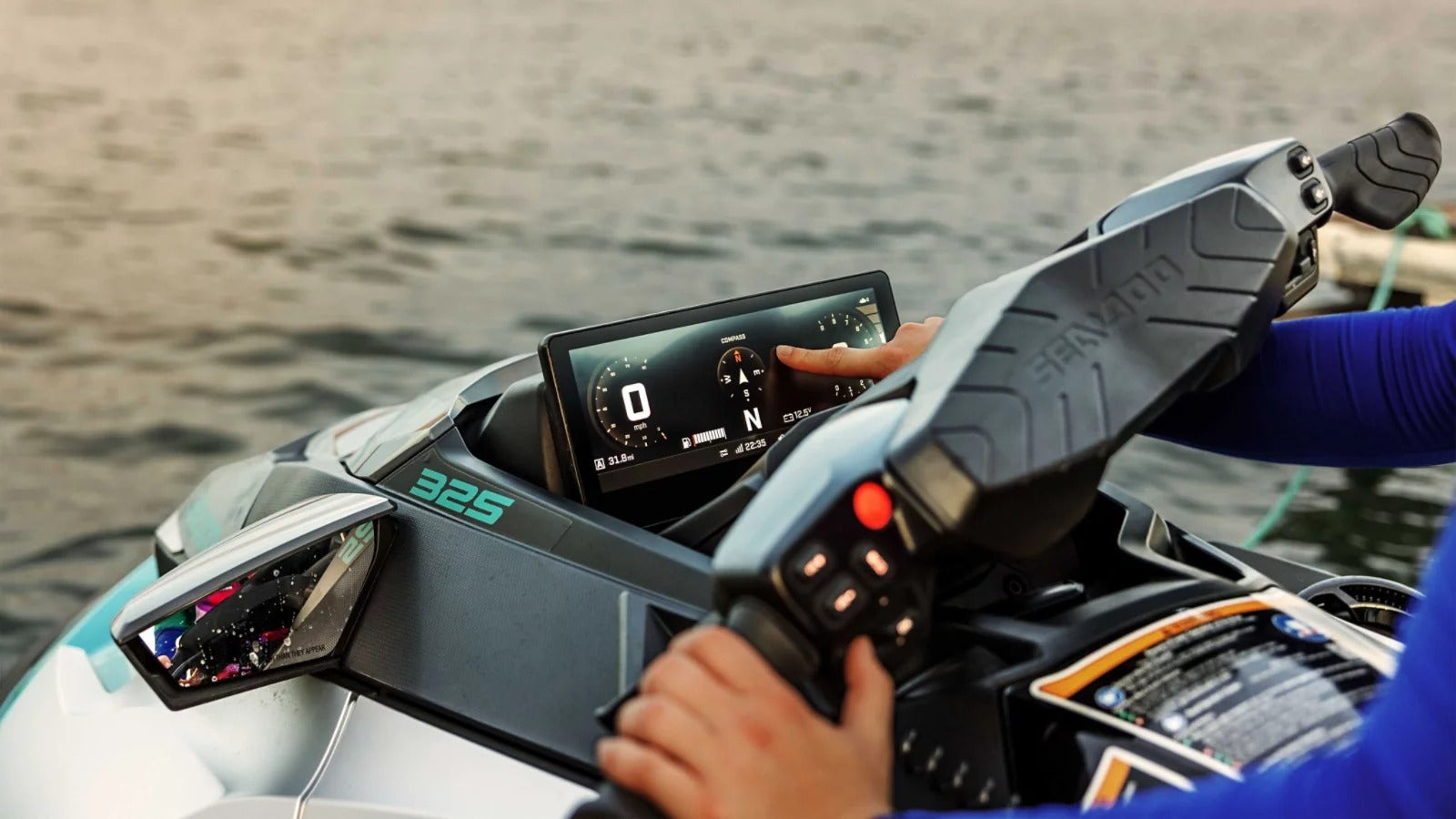
Imagine being out on the open water. Wind in your face, waves beneath you — and your favorite playlist playing, while marine GPS navigation is clearly visible in front of you.
This isn’t science fiction.
Installing Apple CarPlay on a jet ski is absolutely possible, and it’s the kind of upgrade that completely transforms your riding experience.
We’re used to seeing CarPlay in cars, but there’s no reason to limit this technology to the road. With a portable Apple CarPlay display, you can bring modern connectivity to your jet ski without modifying it permanently.
In this guide, we’ll show you how to set up a CarPlay jet ski system using a universal portable screen, and how to handle mounting, power, and water protection for safe marine use.
Why Put Apple CarPlay on a Jet Ski?
A jet ski is about adrenaline — but also about exploration.
Long rides require navigation. Music makes the ride unforgettable. And being able to glance at important notifications without pulling a wet phone out of a waterproof pocket is a luxury you quickly get used to.
The problem?
Most jet skis — even recent models — don’t have a proper multimedia display.
That’s where a portable CarPlay screen becomes the perfect solution.
The Solution: A Universal Portable Apple CarPlay Screen
To install CarPlay on a jet ski without drilling, cutting, or modifying the hull, the best approach is to use a portable Apple CarPlay display like the ones available at thecarplayer.com.
Why this works perfectly for a jet ski:
-
Can be mounted anywhere (handlebar or console)
-
Bright IPS display, clearly visible in direct sunlight
-
Non-destructive installation
-
Wireless Apple CarPlay connection
-
Easy to remove after each ride
This is the same screen many people use in older cars, trucks, campers — and it works surprisingly well in marine environments with proper setup.
The Challenges of a Marine Installation
Unlike a car, a jet ski faces:
-
Heavy vibrations and shocks
-
Salt water spray
-
Constant humidity
-
Direct sunlight
You must address three key points:
-
Stable 12V power supply
-
Strong and reliable mounting
-
Protection against water and corrosion
Step-by-Step: Installing CarPlay on Your Jet Ski
Step 1 — Power Supply (12V)
Most jet skis have a 12V battery, just like a car or motorcycle.
If your jet ski has a 12V socket inside the glove box:
→ Simply plug the CarPlay screen in.
If not:
-
Install a marine waterproof 12V socket or a direct battery cable with fuse
-
Connect directly to the battery (Red + / Black -)
-
Route the cable cleanly to the handlebar/console using zip ties
Pro tip: Add a waterproof switch so you can cut power when the jet ski is off.
Step 2 — Mounting the Screen (Most Important Part)
A regular car suction mount is not enough. Jet skis hit waves hard.
Best options:
Handlebar mount:
Use a strong motorcycle-style clamp mount compatible with the screen bracket.
Console mount:
Use marine-grade 3M VHB adhesive on a flat dashboard surface. Clean with alcohol before applying.
Position the screen so it’s visible but does not interfere with steering.
Step 3 — Audio Setup
You won’t hear navigation over the engine noise without proper audio.
Options:
-
If your jet ski has speakers → connect via AUX or Bluetooth
-
If not → connect your iPhone to a waterproof Bluetooth speaker
-
Solo riders can use waterproof earbuds for the best experience
Step 4 — Water Protection (Critical)
These screens are robust, but not designed for saltwater immersion.
-
Mount behind the small wind deflector if possible
-
Remove the screen after every ride
-
Never leave it mounted while washing the jet ski
-
Apply dielectric grease to connectors to prevent salt corrosion
The advantage of a portable CarPlay screen is that you can install it only when riding and store it safely afterward.
The Result: A Fully Connected Jet Ski
Once installed:
-
The screen powers on
-
Your iPhone connects wirelessly
-
Apple CarPlay appears with large, glove-friendly icons
-
You can run marine navigation apps like Navionics or Savvy Navvy
-
Play music, receive calls, and use Siri hands-free
You’ve turned a recreational watercraft into a modern connected cockpit.
Conclusion
You don’t need a built-in marine infotainment system to enjoy Apple CarPlay on the water.
With a portable CarPlay screen from thecarplayer.com, you can upgrade your jet ski in a simple, reversible, and surprisingly effective way.
No drilling.
No permanent modification.
Just modern navigation and entertainment wherever you ride.
Connected adventures don’t stop at the road.
Share:
CarPlay Ultra Is Expanding — But Most Drivers Still Can’t Get It (Here’s What Actually Matters)
How to Install Apple CarPlay in a Ferrari SF90