

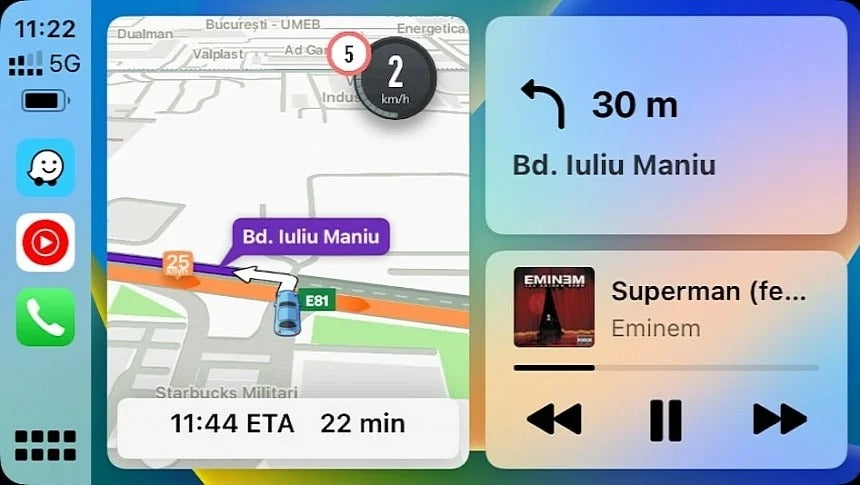
If your Apple CarPlay setup has been showing the wrong album artwork, incorrect song titles, or delayed playback information lately, you’re not alone. And despite what many users think, this is not just a Spotify problem.
Over the past few weeks, more and more CarPlay users have reported bugs affecting music streaming apps like Spotify and YouTube Music. The issue appears to be tied to Apple CarPlay itself rather than one individual app.
For drivers who rely on wireless CarPlay every day, these glitches can quickly become frustrating — especially when your infotainment screen displays the wrong track while you’re listening to something completely different.
At TheCarPlayer.com, we’ve been testing these issues ourselves across multiple factory-installed CarPlay systems and aftermarket CarPlay modules, and the behavior is surprisingly consistent.
What Is the CarPlay Music App Bug?
The bug mainly affects playback metadata inside Apple CarPlay. Users report several strange issues, including:
- Wrong album artwork appearing on screen
- Song titles lagging one track behind
- Incorrect artist names being displayed
- Mixed playback information from different songs
- Music apps freezing on a white screen
- Delayed updates when skipping tracks
The most common complaint is that CarPlay displays information from the previous song instead of the current one.
For example:
- You skip to Song B
- CarPlay still shows Song A artwork and title
- Audio playback works correctly
- The screen information does not refresh properly
This issue has been widely reported with:
- Spotify
- YouTube Music
- Apple Music (in some cases)
- Other third-party music streaming apps
Why This Looks Like a CarPlay Problem — Not a Spotify Bug
At first, many users blamed Spotify because that’s where most complaints started. Spotify even acknowledged reports and investigated the issue through app updates.
However, the exact same behavior is now appearing in YouTube Music and other streaming apps.
That strongly suggests the root cause may actually be:
- Apple CarPlay metadata handling
- Wireless CarPlay communication delays
- iOS background refresh bugs
- Car infotainment synchronization problems
In our own testing, YouTube Music started showing incorrect playback information despite:
- Running the latest iOS version
- Using the newest app version
- Connecting through factory-installed wireless CarPlay
- Having no recent software changes before the bug appeared
Even stranger, the issues sometimes disappear completely without any app update.
That kind of behavior is typical of temporary CarPlay or iOS-level bugs.
Common CarPlay Music Issues Users Are Experiencing
Here are the most frequently reported symptoms:
1. CarPlay Shows the Wrong Album Artwork
The music plays correctly, but the artwork belongs to a previous track or playlist.
2. Song Information Is One Track Behind
This is especially common in Spotify and YouTube Music. Every time you skip a song, the display updates late.
3. Music App Freezes on a White Screen
Some users report opening YouTube Music or Spotify only to see a blank white interface.
In many cases:
- Force-closing the app does not help
- Disconnecting CarPlay does not help
- Restarting the iPhone temporarily fixes the issue
4. Playback Metadata Becomes Mixed
CarPlay may display:
- one song title,
- another artist,
- and completely unrelated album art.
The playback controls still work, but the interface becomes unusable.
How to Fix CarPlay Music App Bugs
While Apple has not officially confirmed a widespread CarPlay bug, several temporary fixes seem to help.
Restart Your iPhone
This remains the most effective temporary solution.
A full reboot often refreshes CarPlay communication and clears stuck metadata.
Update iOS and Your Music Apps
Always install:
- the latest iOS version,
- Spotify updates,
- YouTube Music updates,
- and infotainment firmware updates if available.
Apple frequently fixes CarPlay issues silently in background patches.
Disconnect and Reconnect CarPlay
Try:
- Turning off Bluetooth and Wi-Fi
- Reconnecting wireless CarPlay
- Re-pairing the device completely
This can reset metadata synchronization.
Use the Music App Directly on Your iPhone
Some users report that manually changing tracks from the phone itself immediately corrects the CarPlay display.
Switch Between Wired and Wireless CarPlay
In some vehicles, wireless CarPlay appears more affected than wired connections.
Testing both modes can help isolate the issue.
Are Aftermarket CarPlay Modules Affected?
Yes — but not equally.
Higher-quality CarPlay interfaces and OEM-style modules generally handle metadata synchronization better than cheaper adapters.
At TheCarPlayer.com, our Apple CarPlay modules are designed for stable wireless CarPlay performance across brands like:
- BMW
- Audi
- Porsche
- Mercedes-Benz
- Bentley
- Land Rover
- Ferrari
- Volkswagen
- Jaguar
- Lexus
- Alfa Romeo
Many low-cost wireless CarPlay adapters use unstable software that can worsen music playback bugs, lag, and metadata delays.
If your factory system struggles with CarPlay reliability, upgrading to a dedicated OEM-style CarPlay module can significantly improve:
- connection stability,
- wireless performance,
- app responsiveness,
- and overall CarPlay usability.
Will Apple Fix the CarPlay Music Bug?
Most likely, yes.
Historically, Apple tends to resolve CarPlay bugs quietly through:
- iOS updates,
- backend app compatibility fixes,
- or CarPlay framework patches.
The challenge is that Apple rarely publishes detailed changelogs specifically for CarPlay bug fixes.
For now, the best approach is:
- keep automatic updates enabled,
- regularly update your music apps,
- and ensure your CarPlay hardware is stable and fully compatible.
Final Thoughts
If your CarPlay system has recently started showing incorrect song information, frozen music apps, or broken album artwork, don’t immediately assume Spotify is the problem.
Based on growing reports across multiple apps, this increasingly looks like a broader Apple CarPlay issue affecting music metadata synchronization.
Until Apple issues a permanent fix, the best temporary solutions are:
- rebooting your iPhone,
- updating all apps,
- and using reliable CarPlay hardware.
If you’re looking for a more stable wireless CarPlay experience in your vehicle, explore the premium OEM-style CarPlay solutions available at TheCarPlayer.com.
Share:
Big Google Maps Update on Apple CarPlay: Google Gemini Is Coming
10 Apple CarPlay Hacks Every Driver Should Know in 2026