

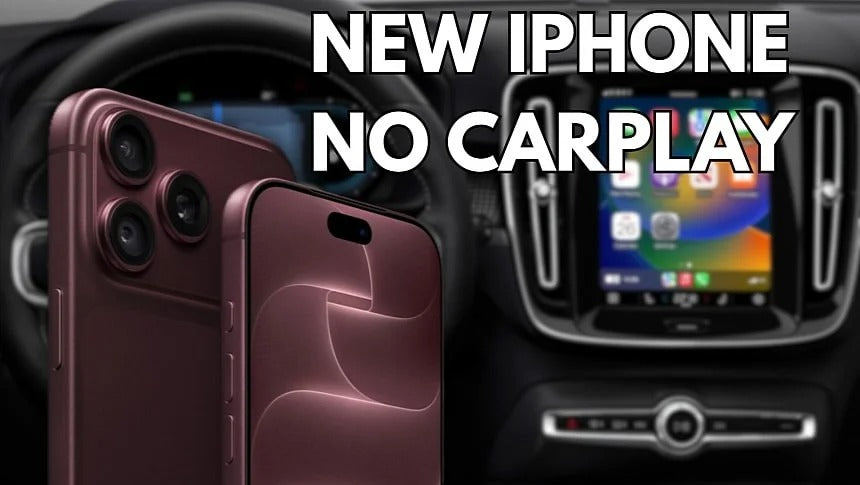
Some iPhone 18 owners are reporting problems connecting to Apple CarPlay, with wired CarPlay appearing to be the biggest source of connectivity issues. Here are some fixes worth trying if your new iPhone won't connect to your car.
Apple CarPlay has generally been considered a reliable way to bring iPhone apps and features into the car. However, some owners of the brand-new iPhone 18 are discovering that upgrading their phone can also mean losing access to CarPlay.
Reports from users suggest that the problem is particularly common with wired CarPlay. In affected vehicles, the infotainment system simply fails to recognize the iPhone, leaving CarPlay unable to start.
Interestingly, some users report that switching cables can solve the problem, while others have managed to get CarPlay working only after switching from a wired connection to wireless.
iPhone 18 and Wired CarPlay Problems
Several users have reported that their previous iPhones worked normally with the exact same vehicle and cable, only for CarPlay to stop working after upgrading to an iPhone 18.
One particularly interesting detail is that different USB-C cables can produce different results.
Some users say their iPhone 18 works with certain third-party cables but not with the Apple cable included with the phone. Others have reported the opposite behavior.
That suggests that the issue may involve the interaction between the iPhone 18, USB connection and the vehicle's infotainment system rather than CarPlay itself.
One user on Reddit reported trying several USB-A to USB-C cables and finding that only certain cables worked reliably with an iPhone 18 Pro Max, despite the same vehicle previously working with an older iPhone.
Another user reported that two iPhone 18 Pro Max devices stopped working with CarPlay even though the same car and cable had worked normally with their previous iPhone models.
These are user reports rather than confirmation of a widespread hardware problem, but the number of similar reports makes the issue worth keeping in mind if you've just upgraded.
Fix #1: Remove the Old iPhone From Your Car
The first thing to try is removing your previous iPhone from the vehicle's infotainment system.
If you upgraded from an older iPhone, the car may still have your previous device stored in its list of connected phones or CarPlay devices.
Go into your vehicle's infotainment settings and remove the old iPhone or CarPlay profile. Then delete the vehicle from your iPhone under:
Settings → General → CarPlay
Select your vehicle and choose Forget This Car.
After that, restart the iPhone and try connecting it to the vehicle again.
This is particularly worth trying if the car worked normally with your previous iPhone but refuses to recognize the new iPhone 18.
Fix #2: Try a Different USB Cable
If removing the old profile doesn't solve the problem, the next step is to test another cable.
This is especially important if your car uses a USB-A port for wired CarPlay.
The iPhone 18 uses USB-C, while many vehicles still have USB-A ports. Depending on the cable and the vehicle's USB implementation, compatibility can vary.
If your car has USB-A, you can try a high-quality USB-A to USB-C data cable or use a suitable USB-A to USB-C adapter together with your existing USB-C cable.
Don't assume that every USB cable will work just because it can charge the iPhone. CarPlay requires a proper data connection, and some inexpensive cables are designed primarily for charging.
Fix #3: Try Another USB Port
Some vehicles have multiple USB ports, but not all of them support wired CarPlay.
If your car has more than one USB port, try each one. Look for the port specifically marked for smartphone connectivity, CarPlay, or data.
It's also worth disconnecting other USB devices while troubleshooting.
If the vehicle has a dedicated CarPlay USB port, using another port may simply result in the phone charging without establishing a CarPlay connection.
Fix #4: Switch to Wireless CarPlay
For drivers who continue to experience problems with wired CarPlay, wireless CarPlay may be the simplest solution.
If your vehicle already supports wireless CarPlay, try pairing the iPhone 18 over Bluetooth and Wi-Fi instead of using a USB cable.
If your vehicle only supports wired CarPlay, a wireless CarPlay adapter can add wireless functionality without replacing the factory infotainment system.
These adapters plug into the vehicle's existing CarPlay USB port and establish a wireless connection with the iPhone. After the initial setup, the phone can connect automatically when you start the car.
This also eliminates the USB cable as a potential source of the problem.
For anyone who has already confirmed that their car's wired CarPlay connection is unreliable with the iPhone 18, moving to a wireless CarPlay adapter could be a practical workaround while waiting for a software update.
Could iOS 27 Be Responsible?
It's also important to remember that the iPhone 18 launched alongside Apple's latest software generation, meaning the phone itself isn't the only variable that has changed.
Some of the reported problems could be related to iOS 27, the vehicle's infotainment software, USB compatibility, or a combination of these factors.
Apple has not publicly confirmed a specific iPhone 18 CarPlay bug covering all of these reports, so it would be premature to say that every affected vehicle has the same underlying problem.
Software updates could nevertheless improve compatibility over time. If your iPhone 18 isn't connecting to CarPlay, make sure both the iPhone and your vehicle's infotainment system are running the latest available software.
The Bottom Line
If CarPlay stopped working immediately after upgrading to an iPhone 18, don't assume that your vehicle suddenly stopped supporting CarPlay.
Start with the simple fixes:
- Forget the old iPhone from the car.
- Forget the car from the iPhone's CarPlay settings.
- Restart both devices.
- Try a different USB cable.
- Try another compatible USB port.
- Check for iPhone and infotainment software updates.
- Consider switching to wireless CarPlay if wired connectivity continues to fail.
For cars that only support wired CarPlay, a wireless CarPlay adapter can also provide a way around USB-related connectivity problems while allowing you to continue using the vehicle's original infotainment system.
As more iPhone 18 owners connect their new phones to different vehicles, we'll likely get a clearer picture of whether these reports point to a specific compatibility issue or simply a collection of problems involving cables, USB ports and older infotainment systems.
Share:
2027 Chevrolet Silverado Brings Back Apple CarPlay With a New User Interface
iOS 27 Promises More Reliable Wireless CarPlay. Does It Actually Work?