

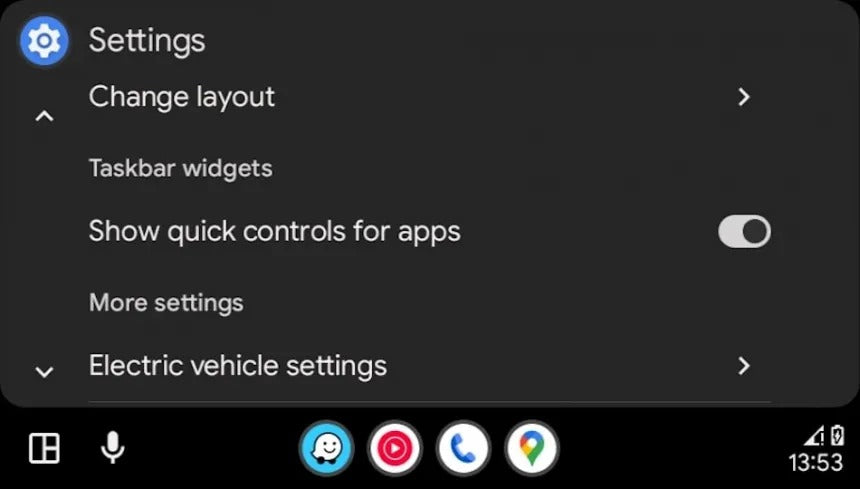
For many drivers, the general consensus is clear: Google should focus on reliability and stability before introducing new Android Auto features. While that criticism is understandable, it doesn’t tell the full story.
Behind the scenes, Google has been quietly developing multiple Android Auto upgrades, most of which—aside from Gemini—have yet to reach production. Taken together, these experimental features strongly suggest that Google is preparing a larger Android Auto refresh, potentially arriving as early as Q1 2026.
One of the latest discoveries gives us a glimpse into where Android Auto’s design language is headed.
A New Wavy Progress Bar for Media Apps
The most recent Android Auto production update introduced subtle internal changes that point toward a new Material 3 Expressive design element: a wavy progress bar for media playback.
Discovered through an APK teardown, the new progress bar would replace the current flat, universal seek bar used across Android Auto media apps. While it hasn’t been activated for end users yet, its presence in the code confirms that Google is actively testing it.
This design change is purely visual. It doesn’t add new functionality or controls, but it does:
-
Modernize the media interface
-
Align Android Auto more closely with Google Pixel and Android UI aesthetics
-
Improve visual consistency across Google’s ecosystem
In other words, this is an eye‑candy update, not a usability breakthrough—but it fits Google’s broader push toward a more expressive, polished UI.
Improving the Media Experience on Coolwalk
The wavy progress bar isn’t the only media-related idea Google has been testing.
In earlier internal builds, Google experimented with an updated media card within the Coolwalk interface. This redesigned card allowed users to:
-
Switch between multiple media apps
-
Quickly access favorite playlists or tracks
-
Use more than one media service simultaneously (e.g., Spotify and YouTube Music)
Rather than locking users into a single audio app per drive, this approach treats media as a shared layer—something drivers can swipe through quickly without digging into menus.
While none of these features have reached production yet, they signal a clear goal: faster, less distracting media control while driving.

Widgets: Android Auto’s Long‑Running Experiment
Another major feature still under development is widget support.
Android Auto actually supported widgets in earlier, pre‑Coolwalk versions. At the time, widgets such as weather and calendar appeared directly on the home screen. That functionality was later removed and reduced to simple indicators in the status bar.
Interest in widgets returned in September when Apple introduced widget support in CarPlay with iOS 26, placing widgets on a dedicated screen accessible with a swipe.
Google, however, appears to be taking a different approach.
Instead of a separate widget screen, Android Auto is expected to display widgets side by side with the main interface, allowing users to see contextual information without leaving their current app.
The biggest challenge remains screen size. On smaller displays, available space is limited, and Google will need to ensure widgets remain usable and readable across a wide range of vehicles.

Gemini Integration: The Most Important Upgrade Yet
While visual changes attract attention, the most significant Android Auto upgrade is undoubtedly Gemini AI integration.
The rollout has already begun for a limited number of users, with broader availability expected in 2026, when Google plans to fully replace Google Assistant with Gemini.
Compared to Google Assistant, Gemini offers:
-
More natural, conversational interactions
-
Advanced contextual searches
-
Access to Google Maps business listings and reviews
-
Menu, pricing, and sentiment analysis
-
Smarter voice interpretation without rigid phrasing
This matters because Google Assistant has long struggled in Android Auto, sometimes failing at basic tasks such as placing calls or executing simple commands. Gemini represents a necessary step forward rather than a cosmetic upgrade.
Why CarPlay Still Sets the Benchmark
At TheCarPlayer.com, we closely track both platforms—and while Android Auto continues to evolve, Apple CarPlay remains the more mature and predictable system, particularly for drivers upgrading older vehicles.
Apple has already delivered:
-
Widgets in production with iOS 26
-
Consistent UI behavior across vehicles
-
Long-term software support independent of the car manufacturer
This is why many drivers choose Apple CarPlay retrofit solutions instead of waiting years for factory software updates or experimental Android Auto features to reach production.

Final Thoughts
The newly discovered wavy progress bar confirms that Google is actively refining Android Auto’s visual identity—but it’s still very much a work in progress.
Between:
-
Unreleased UI changes
-
Ongoing widget experiments
-
Gradual Gemini rollout
Android Auto appears to be laying the foundation for a much larger update in 2026. Whether all of these features make it to production remains uncertain.
For drivers who want polished features today—not promises for tomorrow—Apple CarPlay upgrades remain the most reliable path to a modern in‑car experience.
Stay tuned to TheCarPlayer.com for the latest updates on Android Auto, Apple CarPlay, and premium retrofit solutions.
Share:
Google Releases Android Auto 15.9: The Final Update of the Year and What Comes Next
Red Screen on VW & Seat Infotainment: Causes, Fixes, and Proven Solutions