

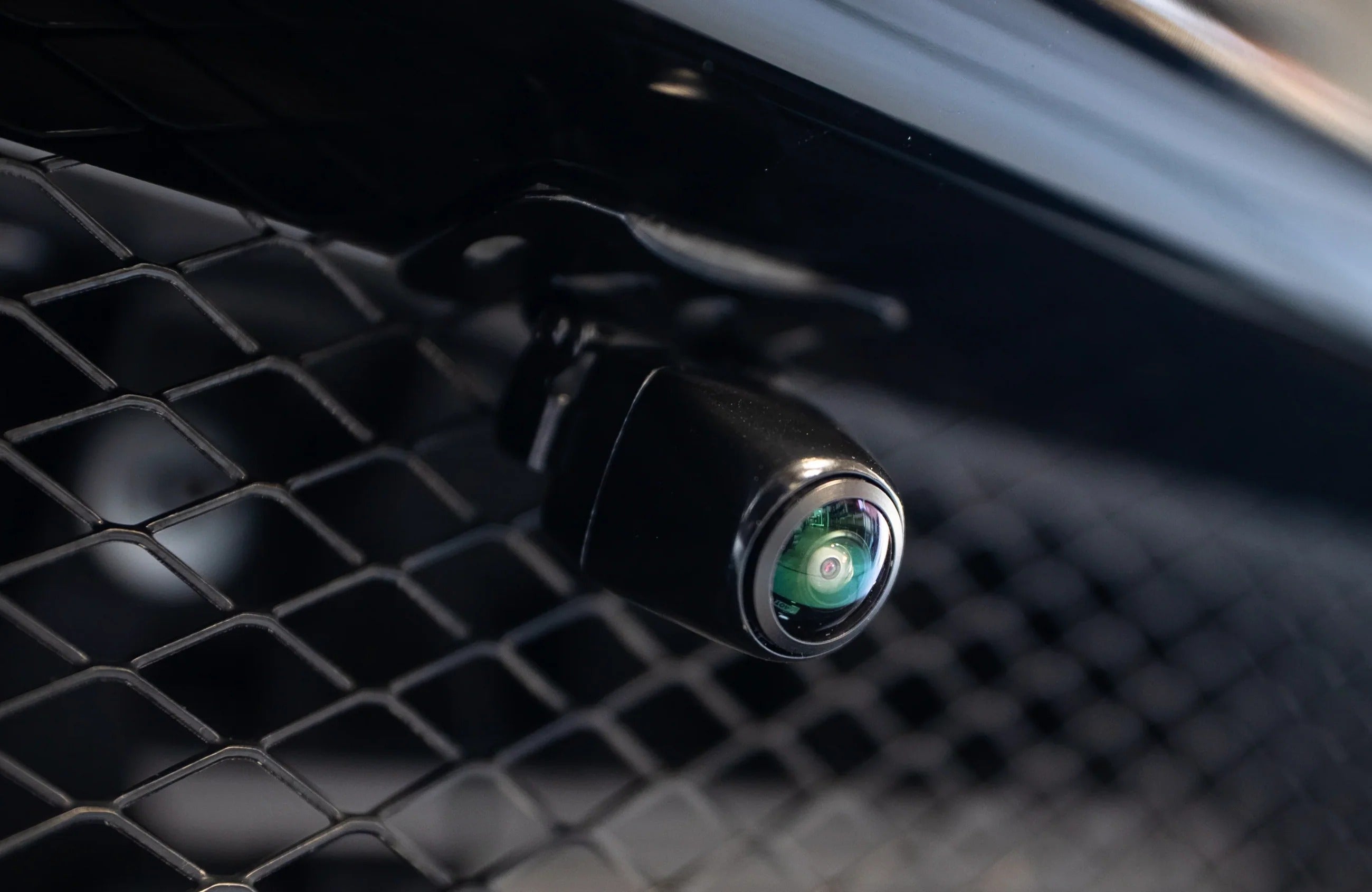
Most drivers are familiar with rear-view cameras, but a front-facing camera can be just as useful—especially when parking, maneuvering in tight spaces, or navigating areas where visibility from the driver's seat is limited.
When connected to a compatible CarPlay retrofit module, a front camera can also display directly on your vehicle's factory screen, giving you a more integrated experience without replacing the original infotainment system.
Here's everything you need to know about adding a front camera to your car.
What Is a Front Camera Used For?
A front camera is typically mounted in the vehicle's grille or another discreet location at the front of the car. It provides a clear view of the area immediately in front of the vehicle.
Easier Parking and Tight Maneuvers
One of the biggest advantages is improved visibility when parking.
A low curb, parking barrier, wall, or another vehicle can be difficult to see from the driver's seat. A front camera gives you a much better view of what's directly in front of the bumper, making tight parking maneuvers easier and reducing the risk of minor damage.
Better Visibility in Difficult Situations
Large vehicles, low objects, steep driveways, and narrow parking spaces can all create areas that are difficult to see.
A front camera helps eliminate some of these blind spots and gives you additional visual information when maneuvering at low speeds.
Useful Video Evidence
If you choose a front dashcam rather than a simple parking camera, video recording can also provide useful evidence in the event of an accident or dispute.
However, it's important to distinguish between the two. A parking camera designed to display a live image does not necessarily record video. If recording is important to you, make sure the camera and CarPlay module specifically support recording or connect a dedicated dashcam.
What Are the Benefits of a Front Camera?
Adding a front camera can provide several practical advantages:
- Improved visibility when parking
- Easier maneuvering in tight spaces
- Reduced risk of bumper damage
- Better visibility of low obstacles
- Night vision, depending on the camera
- Discreet installation behind the grille or in another suitable location
- Integration with your factory display when used with a compatible CarPlay module
For many drivers, the biggest benefit is simple: you can see exactly where the front of your vehicle is when maneuvering.
How Is a Front Camera Installed?
The exact installation depends on your vehicle and the CarPlay module being used, but the general process is straightforward.
1. Choose the Camera Location
The camera should be installed in a position that provides a wide, unobstructed view.
Common locations include the front grille, bumper, or behind/near the manufacturer's emblem.
The camera should be securely mounted and positioned so that the vehicle itself doesn't block the view.
2. Route the Video Cable
The camera's video cable needs to be routed from the front of the vehicle to the CarPlay interface module.
The cable can generally be routed behind the vehicle's existing trim and panels to keep the installation clean and discreet.
A proper installation should not require cutting the vehicle's factory wiring.
3. Connect the Camera to the CarPlay Module
This is where the CarPlay retrofit module becomes important.
Compatible modules can provide dedicated video inputs for additional cameras, allowing the front-camera image to be displayed on the vehicle's original screen.
The exact connections and functionality vary depending on the vehicle and module, so always follow the installation instructions supplied with your specific system.
How Does a Front Camera Work With CarPlay?

The biggest advantage of connecting the camera to a compatible CarPlay retrofit module is that you can use the original factory display rather than installing a separate monitor.
A typical setup works like this:
Reverse gear → Rear camera displayed
When you shift into reverse, the vehicle's rear-view camera operates normally.
Drive/forward → Front camera activated
Depending on the module and vehicle, the front-camera image can automatically appear when you leave reverse or when a dedicated camera button is pressed. Some systems keep the image on screen for a few seconds before returning to the normal display.
The exact behavior depends on the CarPlay module, vehicle and camera configuration, so it's important to verify compatibility before purchasing.
Why Do You Need a CarPlay Module?
A standalone front camera produces a video signal, but your factory infotainment system may not have a compatible video input for it.
A CarPlay retrofit module can act as the interface between the camera and the original infotainment system.
Depending on the module, it can provide:
- Front-camera video input
- Rear-camera integration
- Switching between camera views
- Display output to the factory screen
- Apple CarPlay
- Android Auto
- Integration with factory controls
This allows you to add modern connectivity and additional camera functionality while keeping the original infotainment system in place.
Front Camera + Wireless CarPlay: A Practical Upgrade
If your vehicle doesn't have Apple CarPlay or Android Auto from the factory, a retrofit module can be an especially useful upgrade.
Instead of replacing the entire head unit, a compatible module can add:
Wireless Apple CarPlay + Wireless Android Auto + Front/Rear Camera Support
while retaining the original screen and many of the vehicle's factory controls.
This is particularly useful for older vehicles where replacing the entire infotainment system would be expensive, complicated, or visually undesirable.
What Should You Look for in a Front Camera?
Not every camera is the same. Before purchasing one, consider:
Image Quality
Look for a camera that provides a clear image in both daylight and low-light conditions.
Night Vision
If you regularly park in underground garages or drive at night, infrared or other low-light capabilities can be useful.
Viewing Angle
A wide viewing angle is important for seeing obstacles close to the front bumper.
Size and Installation
A compact camera is easier to install discreetly and can look more like a factory component.
Compatibility
Most importantly, make sure the camera is compatible with your specific CarPlay retrofit module and vehicle.
Frequently Asked Questions
Can I add a front camera to my car?
Yes. Many vehicles can be equipped with an aftermarket front camera. The camera can be connected to a compatible CarPlay retrofit module and displayed on the vehicle's original infotainment screen.
Does a front camera work without a CarPlay module?
It depends on the vehicle. Some factory infotainment systems have their own compatible camera inputs, while others don't. If your factory system doesn't support an additional camera, a compatible retrofit interface may be required.
Does the front camera automatically turn on?
It depends on the CarPlay module and vehicle. Some systems can automatically display the front camera after leaving reverse, while others use a dedicated button or another trigger.
Does installing a front camera require cutting factory wiring?
A properly designed retrofit solution generally doesn't require cutting the factory wiring. However, installation requirements vary between vehicles and modules.
Can I use the factory screen?
Yes. With a compatible CarPlay retrofit module, the front-camera image can be displayed on your original factory infotainment screen.
Is a front camera the same as a dashcam?
No. A parking camera normally provides a live video feed but doesn't necessarily record footage. If you want continuous recording for accident evidence, you should use a dedicated dashcam or a system specifically designed for recording.
Upgrade Your Factory Infotainment System
A front camera is a relatively simple upgrade that can make parking and low-speed maneuvering significantly easier.
Combined with a CarPlay retrofit module, you can add front-camera functionality while also gaining Wireless Apple CarPlay and Android Auto, without replacing your factory screen.
At TheCarPlayer, we offer vehicle-specific CarPlay retrofit solutions designed to integrate with your original infotainment system and factory controls.
Keep your factory system. Add the technology it was missing.
Share:
WhatsApp Finally Gets an Official App for Android Auto and Apple CarPlay
How to Add Apple CarPlay to a Ferrari California T
1 comment
I have a Toyota Yaris Cross and when angle parking and cannot see the white lines will this type of camera help? Thanks
Yvonne (NZ)