

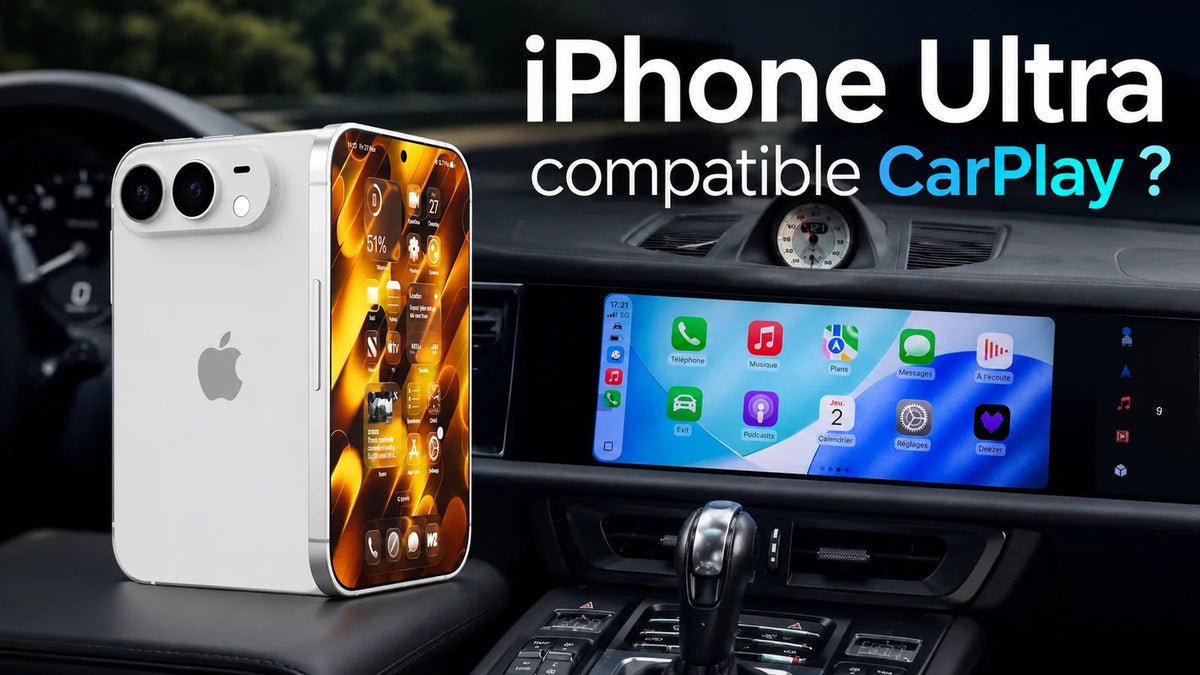
Every time Apple prepares to launch a new iPhone, drivers have the same question:
Will my new iPhone still work with Apple CarPlay?
With rumors surrounding a possible iPhone Ultra, many CarPlay users are wondering whether a new iPhone could cause compatibility problems with their existing vehicle or aftermarket CarPlay system.
The good news is that Apple CarPlay is designed around iOS compatibility rather than individual car or retrofit brands. As long as the new iPhone supports CarPlay, it should be able to connect to compatible factory and aftermarket CarPlay systems.
So, if you're planning to upgrade your iPhone, there's generally no reason to replace your car's CarPlay hardware at the same time.
Will a Future iPhone Ultra Support Apple CarPlay?
Based on how Apple has handled CarPlay across previous iPhone generations, a future iPhone would be expected to support Apple CarPlay.
However, Apple has not officially confirmed every specification of an “iPhone Ultra” ahead of its launch, so claims about its exact connectivity hardware should be treated as speculation until Apple announces the device.
What we can say with confidence is that CarPlay is built into Apple's iOS ecosystem. Apple currently supports CarPlay across a wide range of iPhone generations, from the iPhone 5 through current models listed on its official compatibility page.
That means a new iPhone does not normally require a completely new CarPlay system.
Will a New iPhone Work With Wireless CarPlay?
If the future iPhone supports Apple's wireless CarPlay requirements, it should be able to connect to compatible wireless CarPlay systems.
Wireless CarPlay uses Bluetooth and Wi-Fi to establish the connection between the iPhone and the vehicle or CarPlay interface. Apple specifically recommends having both Bluetooth and Wi-Fi enabled when setting up wireless CarPlay.
For drivers, wireless CarPlay means:
- No USB cable every time you get in the car
- Automatic connection after initial setup
- Navigation directly on the factory screen
- Music streaming without plugging in your phone
- Hands-free calls
- Siri voice control
- Access to compatible CarPlay apps
Your iPhone can remain in your pocket or on a wireless charging pad while CarPlay runs through the vehicle's display.
Will a New iPhone Work With TheCarPlayer CarPlay Modules?
If the iPhone supports Apple CarPlay, it should work with a compatible TheCarPlayer CarPlay interface.
The important distinction is that your car and its infotainment system determine which CarPlay module you need. The iPhone itself does not determine which retrofit module should be installed.
For example, if you have a compatible Audi, BMW, Mercedes-Benz, Volkswagen, Porsche, Ferrari, Land Rover or other vehicle, you need a module designed specifically for that vehicle's factory infotainment system.
Once the correct module is installed, you can use a compatible iPhone with it.
This is one of the major advantages of a CarPlay retrofit: you can upgrade your phone without having to upgrade the CarPlay hardware every time Apple releases a new iPhone.
Do You Need to Replace Your CarPlay Module When You Buy a New iPhone?
Normally, no.
If you already have a properly functioning CarPlay retrofit installed in your vehicle, buying a newer iPhone should not mean buying a new CarPlay module.
CarPlay is designed to work across generations of compatible iPhones.
The same principle applies to vehicles that already have factory-installed CarPlay. Apple provides instructions for connecting both wired and wireless CarPlay depending on the vehicle's capabilities.
So if you're currently using CarPlay with an older iPhone and you're thinking about upgrading to a newer model, you generally don't need to worry about your CarPlay system becoming obsolete simply because you changed phones.
What If My Car Doesn't Have Apple CarPlay?
This is where a CarPlay retrofit module can make a big difference.
Many older vehicles have perfectly good factory infotainment systems but lack Apple CarPlay and Android Auto.
Instead of replacing the original screen with an aftermarket display, a dedicated retrofit module can add modern smartphone connectivity to the existing system.
Depending on the vehicle and module, you can add features such as:
- Wireless Apple CarPlay
- Android Auto
- Google Maps
- Apple Maps
- Waze
- Spotify
- Apple Music
- Siri
- Hands-free calling
- Compatible messaging apps
Apple itself notes that CarPlay can also be added to an existing vehicle through compatible aftermarket systems.
Why Choose a CarPlay Retrofit Instead of Replacing Your Factory Screen?
For many vehicle owners, the factory infotainment system is still perfectly usable.
The problem is simply that it lacks modern smartphone integration.
Replacing the entire screen can change the appearance of the dashboard and may require additional modifications.
A retrofit module takes a different approach.
Keep the factory screen
You continue using the display that was designed specifically for your vehicle.
Keep the original interior
There is no need to install a generic aftermarket touchscreen.
Keep your factory controls
Depending on your vehicle and module, steering-wheel controls and other factory controls can remain functional.
Keep your factory camera
Compatible retrofit systems can preserve the operation of the original reversing camera.
Add modern technology
You get the smartphone connectivity you expect from a modern vehicle without replacing the car's entire infotainment system.
You don't need a new car to get modern CarPlay.
What Can You Use Apple CarPlay For?
Once your iPhone is connected, CarPlay puts many of your most-used smartphone functions directly onto the vehicle's display.
Navigation
Use apps such as:
- Apple Maps
- Google Maps
- Waze
CarPlay supports compatible third-party navigation apps, allowing you to use the navigation platform you're already familiar with.
Music
Listen to:
- Spotify
- Apple Music
- Podcasts
- YouTube Music
- Other compatible audio apps
Calls and Messages
Make calls and interact with compatible messaging applications using the vehicle's controls and Siri.
Siri
Siri can help you make calls, send messages, start navigation and control compatible apps without requiring you to interact directly with your phone.
Apple's current CarPlay system is designed specifically to keep drivers focused on the road while still providing access to these functions.
What About the Latest Versions of iOS?
New iOS releases can actually make CarPlay better.
For example, iOS 26 introduced several CarPlay improvements, including a redesigned interface, compact incoming-call notifications, Tapbacks and pinned conversations in Messages, widgets and Live Activities.
This is important because CarPlay is not a static technology.
Apple continues to improve the software experience through iOS updates, while the underlying vehicle or retrofit hardware can continue to provide the connection.
So even if you buy a new iPhone, your existing CarPlay system can continue to benefit from Apple's software improvements.
What About CarPlay Ultra?
Apple has also introduced CarPlay Ultra, its next-generation CarPlay experience.
Unlike standard CarPlay, CarPlay Ultra can integrate much more deeply with the vehicle and display information across multiple driver screens, including the instrument cluster.
Apple says CarPlay Ultra works with the iPhone and is designed to provide a unified experience between the vehicle and iPhone.
However, CarPlay Ultra is different from standard Apple CarPlay and requires support from the vehicle manufacturer.
A vehicle having standard Apple CarPlay does not automatically mean it supports CarPlay Ultra.
For most older vehicles, a dedicated aftermarket CarPlay retrofit remains the practical way to add standard Apple CarPlay.
Do I Need to Wait for the iPhone Ultra Before Installing CarPlay?
No.
If your car doesn't currently have CarPlay, there is no reason to wait for a new iPhone generation simply because you're planning to upgrade your phone.
A compatible CarPlay module is designed around the vehicle's infotainment system, not a particular iPhone generation.
You can install the module now and upgrade your iPhone later.
That means:
Upgrade your car today → Upgrade your iPhone later → Keep using CarPlay.
This is particularly useful if you're driving an older vehicle that still has a perfectly good factory screen but lacks modern smartphone integration.
The Important Part: Choose the Correct Module for Your Car
While iPhone compatibility is generally straightforward, vehicle compatibility is much more important when purchasing a retrofit module.
Different vehicles use different infotainment systems, displays and communication protocols.
For this reason, you should always make sure that the module you're purchasing is designed for your exact vehicle and factory system.
If you're unsure, send TheCarPlayer a photo of your factory infotainment screen while it is switched on, along with your vehicle model and year.
We'll help you determine which CarPlay solution is appropriate.
Frequently Asked Questions
Will a new iPhone work with Apple CarPlay?
If the iPhone supports Apple CarPlay, it can connect to compatible factory and aftermarket CarPlay systems. Apple supports CarPlay across a wide range of iPhone generations.
Will the iPhone Ultra support Apple CarPlay?
A future iPhone Ultra would be expected to support CarPlay, but Apple should be the source of confirmation for the device's final specifications. The exact capabilities should not be considered confirmed until the product is officially announced.
Will a new iPhone work with my existing TheCarPlayer CarPlay module?
If the iPhone supports CarPlay and your existing module is functioning correctly, you should not normally need to replace the module simply because you upgraded your phone.
Does wireless CarPlay require Bluetooth and Wi-Fi?
Yes. Apple's setup instructions for wireless CarPlay require Bluetooth and Wi-Fi to be enabled on the iPhone.
Do I need to replace my CarPlay module every time Apple releases a new iPhone?
No. CarPlay is designed to support multiple generations of iPhones. A compatible retrofit module is not tied to one specific iPhone model.
Can I add CarPlay to an older car?
Yes. A compatible aftermarket CarPlay system can add CarPlay to many vehicles that did not originally come with the feature.
Can I keep my original factory screen?
With a compatible retrofit module, yes. The purpose of these systems is to add CarPlay while retaining the vehicle's original display and much of its factory functionality.
Upgrade Your Car, Not Your Entire Infotainment System
Thinking about buying a new iPhone?
Don't worry about losing CarPlay.
Apple continues to support CarPlay across generations of iPhones, and a properly installed retrofit module can continue working with newer devices.
If your vehicle doesn't currently have CarPlay, you don't necessarily need a new car—or an expensive aftermarket touchscreen.
A TheCarPlayer CarPlay retrofit module can give your existing vehicle modern smartphone connectivity while preserving the factory screen and interior.
Keep the car you love. Upgrade the technology.
👉 Find a CarPlay module for your vehicle
Browse TheCarPlayer's range of vehicle-specific CarPlay retrofit solutions and find the right upgrade for your factory infotainment system.
Not sure which module you need?
Send us a photo of your factory screen while it is turned on, along with your vehicle model and year, and we'll help you check compatibility.
Share:
How to Add Wireless Apple CarPlay to an Infiniti Q50, QX50 or Q60
Storm Radar Weather App Launches on CarPlay