

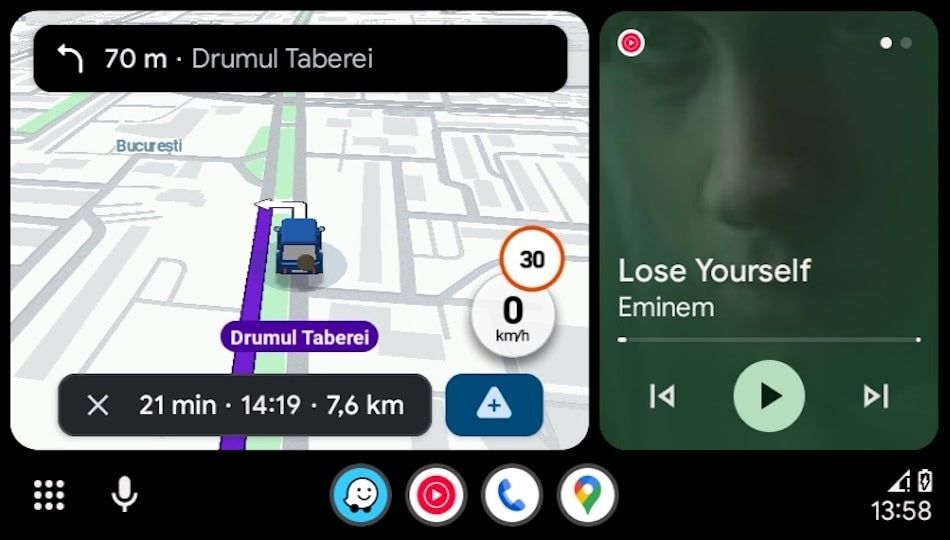
Google has moved quickly with its latest in-car software update. Android Auto 16.0 has officially left the beta channel and is now rolling out to production devices worldwide.
As usual, the update is being distributed gradually via the Google Play Store, which means most users won’t see it available immediately. If you don’t want to wait, there is a way to install Android Auto 16.0 manually right now.
At TheCarPlayer.com, we closely track Android Auto and Apple CarPlay updates because they directly impact retrofit systems, OEM infotainment units, and aftermarket modules. Here’s what you need to know.
Why You Probably Haven’t Received Android Auto 16.0 Yet
When Google releases a major Android Auto update, it follows a staged rollout strategy:
-
Only a small percentage of devices receive the update initially
-
Google monitors stability, crash reports, and compatibility
-
If issues appear, the rollout can be paused instantly
This prevents a faulty update from affecting millions of vehicles at once. The downside is obvious: most users are left waiting.
How to Install Android Auto 16.0 Manually (APK Method)
If you want Android Auto 16.0 today, manual installation is straightforward:
-
Download the Android Auto 16.0 APK from a trusted source
-
Open the downloaded file on your phone
-
Allow installation from unknown sources (if prompted)
-
Complete the installation
The process usually takes less than a minute. If this is your first time installing an APK manually, Android may ask for one-time permission.
⚠️ Tip from TheCarPlayer.com:
Manual installation does not unlock experimental features early. It only bypasses Google’s rollout delay.
What’s New in Android Auto 16.0?
If you’re expecting visual changes, you may be disappointed—for now.
No Major UI Changes (Yet)
Android Auto 16.0 focuses almost entirely on backend improvements, including:
-
Performance optimizations
-
Stability refinements
-
Preparation for upcoming features
There are no visible interface changes compared to the previous version.
Bigger Features Coming Soon to Android Auto
While Android Auto 16.0 itself is a quiet update, it lays the groundwork for several major upgrades:
Widgets Inside the Coolwalk Interface
Google is preparing widgets that will appear alongside the main Android Auto interface, not on a separate screen like Apple CarPlay.
Updated Media Card
An improved media panel is in development, allowing:
-
Faster access to more media apps
-
Better integration within the Coolwalk UI
New Media Playback Design
Upcoming versions will introduce:
-
A wavy progress bar similar to Pixel devices
-
More refined animations
-
Dynamic color accents based on phone wallpaper
Gemini Is Replacing Google Assistant in Android Auto
One of the most important long-term changes is the arrival of Gemini, Google’s new AI assistant.
-
Early access began in late 2025
-
Google plans to replace Google Assistant entirely
-
Android Auto will be fully integrated with Gemini
This mirrors Apple’s recent push toward AI-enhanced CarPlay experiences, making in-car assistants smarter and more contextual.
Should You Install Android Auto 16.0 Now?
At this stage:
-
Android Auto 16.0 appears stable
-
No widespread bugs have been reported
-
Changes are mostly under the hood
If your current Android Auto setup works well, installing now is safe but not essential. If you rely on aftermarket or retrofit systems, stability improvements are generally welcome.
At TheCarPlayer.com, we will continue monitoring compatibility with:
-
OEM infotainment systems
-
Android Auto retrofit modules
-
Wireless adapters
Android Auto vs Apple CarPlay: The Bigger Picture
Android Auto 16.0 highlights a key difference between the two platforms:
-
Android Auto evolves gradually through backend updates
-
Apple CarPlay often introduces visible feature changes with each major iOS release
For drivers considering infotainment upgrades or retrofits, long-term hardware compatibility remains just as important as software updates.
Final Thoughts
Android Auto 16.0 may not look different, but it plays an important role in preparing the platform for widgets, improved media handling, and AI-powered assistance.
If you’re upgrading your car’s infotainment system or considering a CarPlay or Android Auto retrofit, make sure your hardware is ready—not just your phone.
👉 Follow TheCarPlayer.com for in-depth guides, comparisons, and retrofit solutions for modern in-car connectivity.
Share:
Troubleshooting Wireless CarPlay in iOS 26 / iOS 26.2: What’s Working (and What Isn’t)
Why Cheap Wireless CarPlay Adapters Die After 6–12 Months
1 comment
I have a 2016 Honda odyssey elite with stock radio and navigation, how can I update the system to make it more user friendly and also have the android auto?